
Access is the part of profile management that quietly breaks. Google gives a profile two roles, owner and manager, and a manager can do almost everything an owner can except add or remove users and remove the profile. A profile can have several owners but only one primary owner, and you cannot hand primary ownership to a profile that has no other owner or manager on it. Google Groups cannot be owners or managers. Audit the list quarterly, because people leave and access does not.
Google Business Profile owners and managers are the housekeeping that quietly breaks. Every agency has a client whose profile is still owned by a Gmail address belonging to someone who left in 2023. Nobody notices until the day a change has to be made in a hurry.
This is the housekeeping that software is for, and it is also the housekeeping that software cannot do for you, because only you know who should still be on the list.
The two roles, precisely
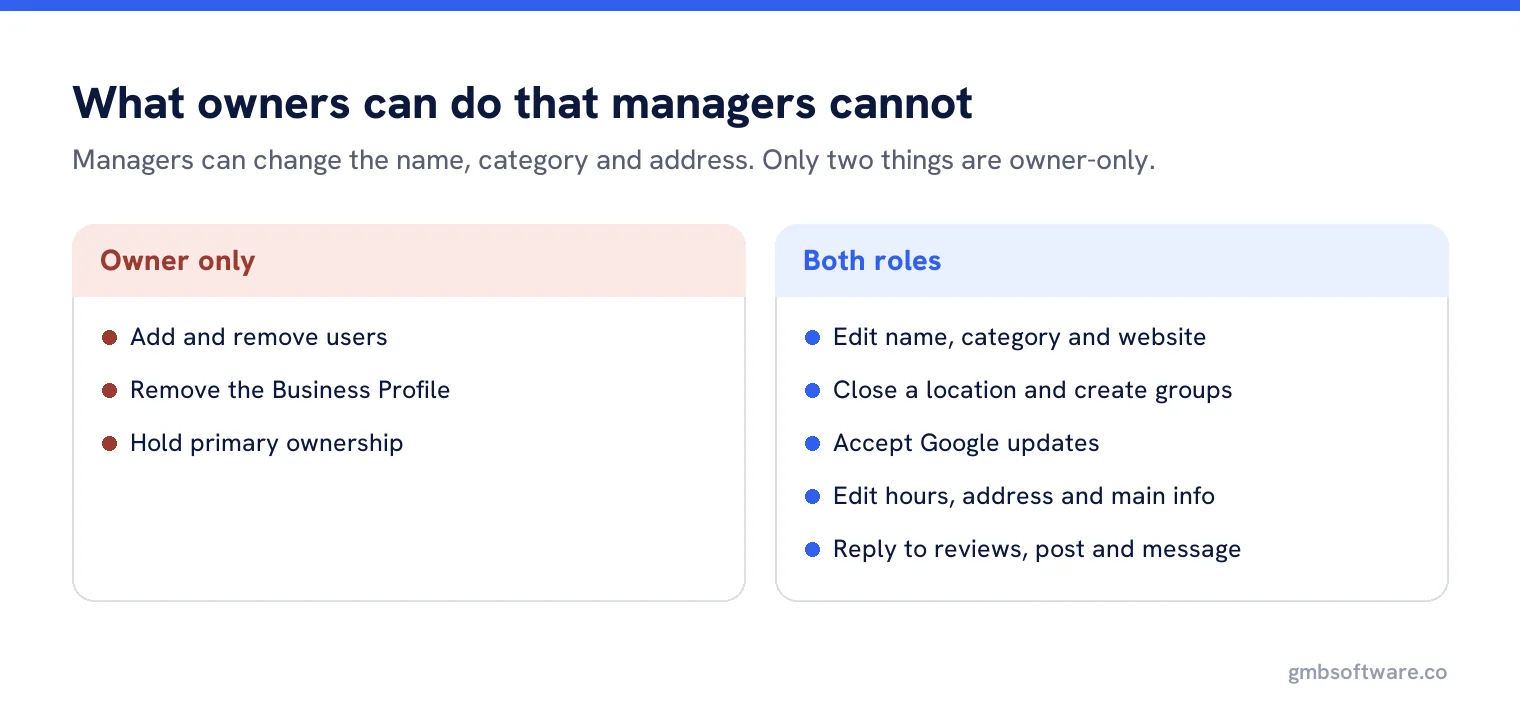
Google’s page on owners and managers sets out the split. Owners have full control: they can add and remove users, manage everything on the profile, and delete it. Managers, which Google used to call site managers, have mostly the same access with two exceptions: they cannot add or remove users, and they cannot remove the profile.
| Capability | Owner | Manager |
|---|---|---|
| Add and remove users | Yes | No |
| Remove the profile | Yes | No |
| Edit name, category or website | Yes | Yes |
| Close a location, create location groups | Yes | Yes |
| Accept Google updates | Yes | Yes |
| Edit hours, address and main information | Yes | Yes |
| Reply to reviews, post, message | Yes | Yes |
Read that table twice before deciding that manager is a safe, limited role. A manager can change the business name, the category and the address. The only things they cannot do are touch the user list and delete the profile.
The primary owner rule that catches people out
A profile can have several owners, but only one primary owner. To transfer that role, the profile must already have another owner or manager to transfer it to. In practice this means you cannot simply hand over a profile at the end of a contract if nobody else has ever been added, which is why the first thing to do on any new account is add a second owner, not change anything else.
The other rule worth knowing before you design a process around it: you cannot add a Google Group as an owner or a manager. Each person needs their own Google account. That rules out the obvious trick of pointing everything at one shared address and managing membership elsewhere.
What a sensible access model looks like
The business owns the profile
Primary owner is an account the business controls, ideally a role-based account rather than a named person who might leave.
The agency is a manager
Not an owner. Managers can do all the work and cannot lock anybody out or delete anything.
One named person per agency, not a shared login
Shared passwords are against the spirit of Google’s own advice, which is that each user has their own account.
Branch staff get manager access only where they need it
And only to their own location, which is where location groups earn their keep.
A second owner exists from day one
So ownership can be transferred later without a support case.
The quarterly access audit
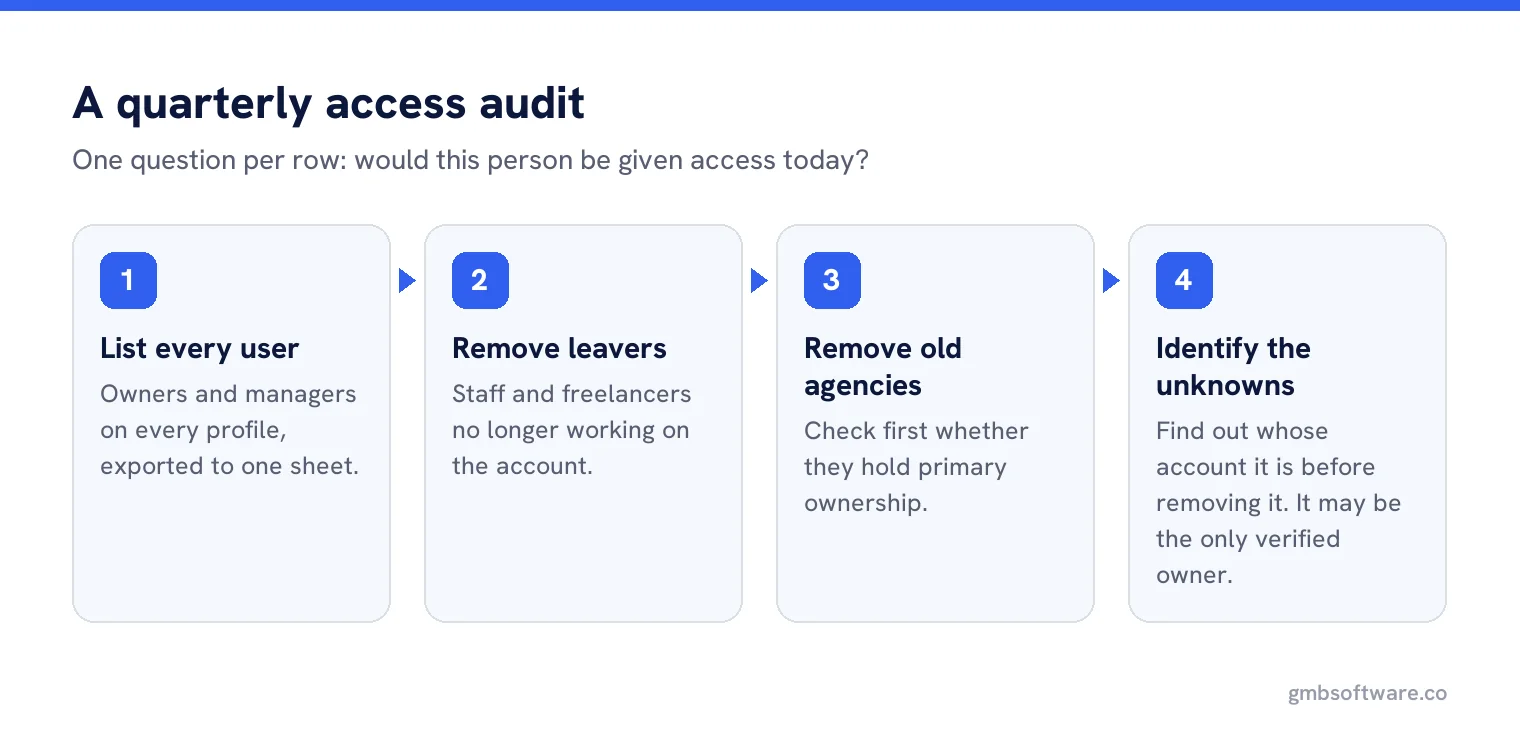
Open the users list for every profile and ask one question per row: would this person be given access today? Three categories usually come out of it.
- Leavers. Staff and freelancers who no longer work on the account. Remove.
- Previous agencies. Often still owners. Remove, and check they are not the primary owner before you try.
- Mystery accounts. A personal Gmail nobody recognises. Do not remove in a panic, find out whose it is first. Sometimes it is the only verified owner.
When you cannot get in at all
The common case is a profile that somebody else verified years ago, often a former agency or a supplier. Google provides a process for requesting ownership, which notifies the current owner and gives them a window to respond. It is slow, it is not guaranteed, and it is still the correct route. Creating a second profile for the same business to get around it is the mistake that turns an access problem into a duplicate problem and then a suspension problem.
Offboarding, written down before you need it
Agencies are good at onboarding and bad at the other end. Decide now what happens when a client leaves: which accounts are removed, who confirms the business still has owner access, and who checks a month later that nothing was missed. Put it in the contract if you can. A clean exit is the cheapest reputation insurance available, and the opposite, a client locked out of their own profile, is the story that gets told for years.
What software should do here
Platforms cannot change Google’s roles, but they can make the list visible. The useful features are a single view of every profile with its owners and managers, an alert when a user is added or removed, and an export you can hand to a client. Anything that promises to manage access without each person having their own Google account is describing something Google does not support.
A real handover, step by step
An agency takes on a thirty-location client whose profiles were all verified by a previous supplier. The right order is boring and it works. First, ask the previous supplier to add the client’s own account as an owner, in writing. Second, once that is confirmed on every profile, have the client transfer primary ownership to their own account where it is not already there. Third, the client adds the new agency as a manager. Fourth, the previous supplier is removed, by the client, not by the new agency.
Each step is checked across all thirty profiles before the next begins, because partial completion is where this goes wrong. Nine profiles handed over and twenty-one forgotten is the normal outcome when somebody works location by location instead of step by step.
The internal roles question
Separately from Google’s roles, your own platform has its own permissions, and the two get confused constantly. Somebody can be an administrator in your software and have no access to the actual profile, which means their changes silently fail or never reach Google. When a change does not stick, check both lists before blaming the integration. It is the Google list nine times out of ten.
See who can reach every profile
One view of owners and managers across your whole account, with alerts when the list changes.
Frequently asked questions
What is the difference between an owner and a manager?
Managers have almost the same access as owners. The exceptions are that they cannot add or remove users and cannot remove the profile.
Can a profile have more than one owner?
Yes, but only one primary owner. To transfer the primary role the profile must already have another owner or manager on it.
Can I use a Google Group as an owner?
No. Google states that Groups cannot be added as managers or owners. Each person needs their own Google account.
Should my agency be an owner or a manager?
A manager. Managers can do all the work without being able to remove users or delete the profile, which protects both sides if the relationship ends.
What if nobody at the business can access the profile?
Use Google’s request ownership process. It notifies the current owner and takes time, but creating a second profile instead causes duplicates and risks suspension.
Sources
The Google documentation behind the guidance on this page. Google changes these pages without notice, so check the date on any figure before you rely on it.