
Bulk editing means changing the same field across many profiles in one action. It works well for things that are genuinely identical everywhere, such as a brand website pattern, an attribute, a label, or a holiday closure for every branch. It works badly for anything that varies by location, which is most things. The rule that keeps you out of trouble is simple: bulk edit facts that are the same by definition, and never bulk edit facts that merely look the same today.
The appeal of bulk editing Google Business Profiles is obvious. So is the failure mode: one wrong value, applied confidently, to every location you manage.
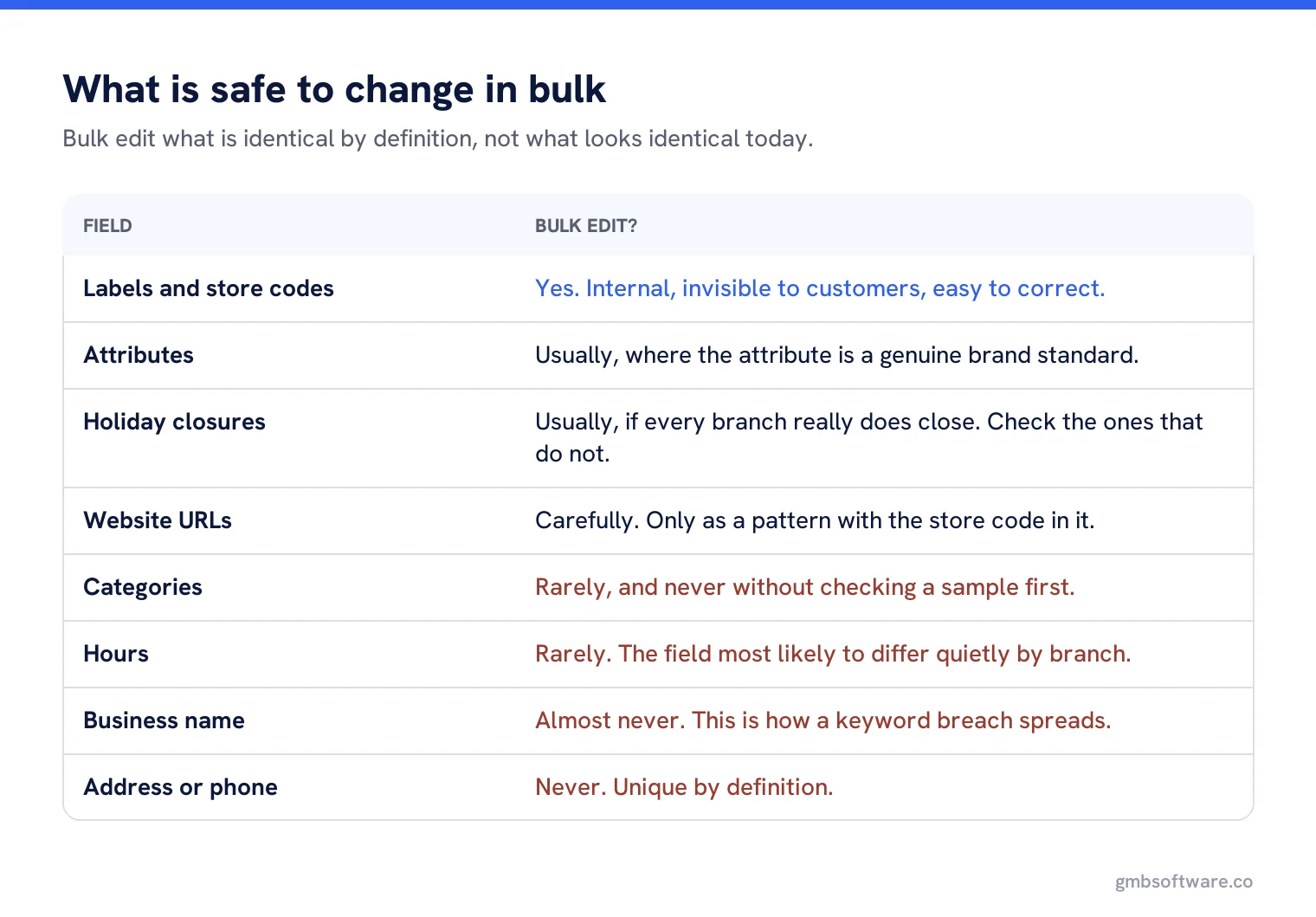
What is safe to change in bulk
| Field | Bulk? | Why |
|---|---|---|
| Labels and store codes | Yes | Internal, invisible to customers, easy to correct. |
| Attributes | Usually | Where the attribute is a brand standard, such as card payments accepted. |
| Holiday closure | Usually | If every branch really does close. Check the ones that do not. |
| Website URLs | Carefully | Only when you are applying a pattern with the store code in it, not one URL for all. |
| Description | Carefully | Identical descriptions across 200 profiles are legal but tell customers nothing. |
| Categories | Rarely | Only for a genuinely uniform estate, and never without checking a sample first. |
| Hours | Rarely | The field most likely to differ quietly by branch. |
| Business name | Almost never | Names must match the real world. A bulk name change is how keyword breaches spread. |
| Address or phone | Never | Unique by definition. If you are bulk editing these, something has gone wrong. |
The three ways to do it
The interface
Select locations, change a field. Best for small, visible changes where you want to see what you touched.
The spreadsheet
Powerful and unforgiving. Google warns that a column with a heading and no data deletes the existing information, so the import rules matter more than the edit itself.
The API
Best when the change comes from another system and has to repeat. Needs a developer and access that must be applied for.
The pre-flight check
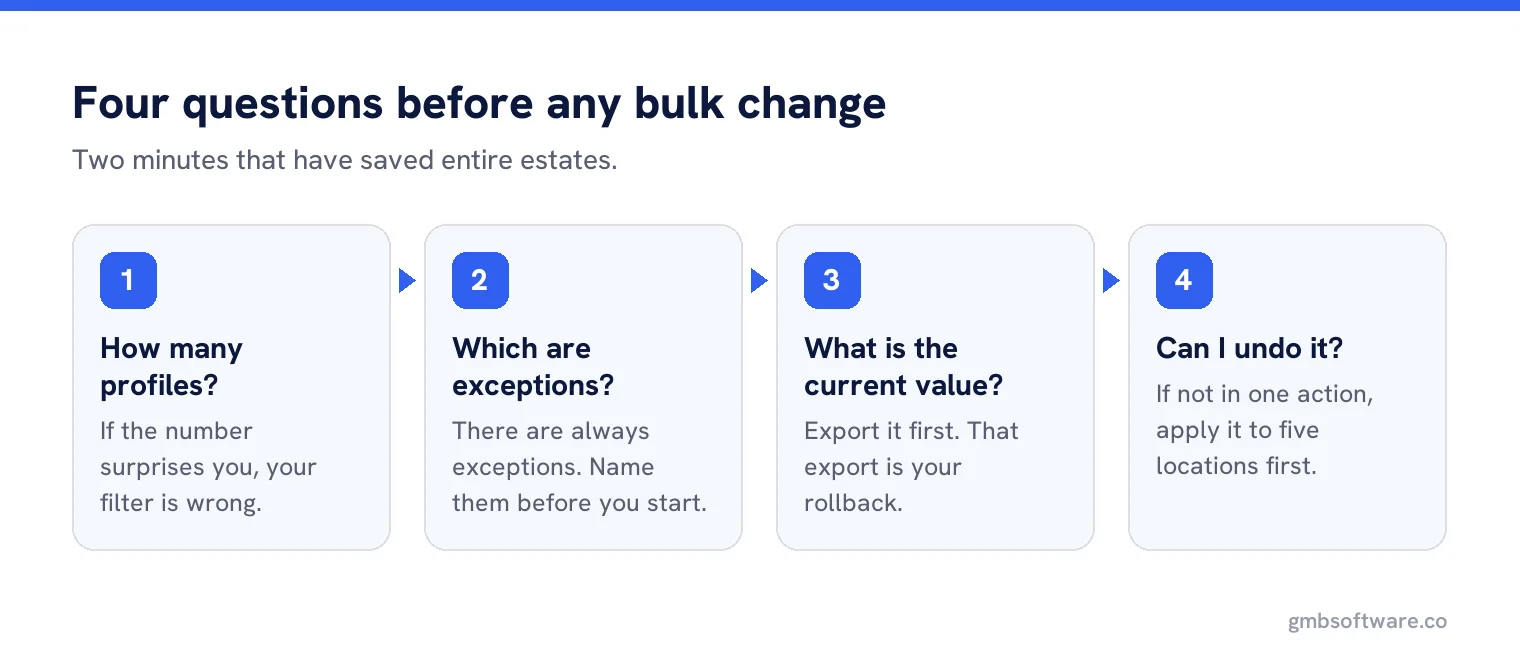
Before any bulk change, four questions. They take two minutes and have saved entire estates.
- How many profiles will this touch? If the number surprises you, your filter is wrong.
- Which locations are exceptions? There are always exceptions. Name them before you start.
- What is the current value? Export it first. That export is your rollback.
- Can I undo this in one action? If not, do a sample of five.
Sampling, every time
Apply the change to five locations, chosen deliberately rather than randomly: one flagship, one small site, one franchise, one that recently changed hands, one in another country if you have one. Then look at all five in Search, not in the dashboard. Only then run the rest.
This is the step people skip when they are confident, and confidence is exactly the condition under which the bad bulk edits happen.
Exceptions are the real work
A bulk change is two jobs: the change, and the list of locations it should not apply to. The second list is where local knowledge lives, and it is never in the system. The store with different Sunday hours, the branch inside a shopping centre with its own holiday calendar, the site that shares a phone number with the one next door.
Keep the exception list as a label, not as a note in someone’s head. Then the next bulk change starts with the exceptions already excluded, and the knowledge survives the person who knew it.
A worked example, and a near miss
A gym chain adds a new attribute across 60 sites: accessible toilets. It is a brand standard, it is true everywhere, and it takes one action. Good bulk edit. Nobody needs to check it store by store, because the fact does not vary by store.
The same chain then decides to standardise opening hours to 6am until 10pm, because that is the brand promise on the website. The pre-flight check catches it: eleven sites are inside leisure centres with their own access hours, two are in office buildings that lock at 8pm, and one has a planning condition limiting early opening. Fourteen exceptions out of sixty, none of them visible in the data, all of them known to somebody local.
Had the change gone ahead, fourteen sites would have published hours they cannot honour, and the first anyone would have known is a customer standing outside a locked leisure centre at a quarter past six in the morning.
Changes that look bulk but are not
Three jobs get treated as bulk edits and should not be. Replying to reviews, which has to be specific to be worth doing. Posting, where identical text across every location is both obvious and dull. And responding to Google updates, which needs a decision per location about whether the suggested change is actually right.
Software can queue and assist all three. What it should not do is apply one answer to all of them, which is the difference between scale and spam.
Who signs it off
For anything touching more than about twenty profiles, somebody other than the person making the change should see the filter and the new value first. Not as ceremony, but because the error is almost always in the selection rather than in the value, and a second pair of eyes spots a wrong filter far faster than it spots a wrong word.
After the change
Verify in three places: the dashboard, a live search for a sample of locations, and your own export taken an hour later. Then write one line in a change log with the date, the field, the filter used and the number of profiles affected. That line is what makes the next audit a comparison rather than an investigation.
When it goes wrong
If a bulk change has applied something incorrect, do not fix it location by location while thinking about what happened. Re-apply the previous export to the affected set, confirm a sample, then work out the cause. Speed matters here because a wrong phone number or a wrong website across an estate is live for customers the entire time you are deliberating.
Bulk changes with a preview and an undo
See exactly which profiles a change will touch, exclude the exceptions, and keep an export to roll back to.
Frequently asked questions
What can I safely change in bulk across Business Profiles?
Labels, store codes, brand-standard attributes and genuine estate-wide closures. Addresses and phone numbers are unique by definition and should never be bulk edited.
Can I bulk edit business names?
Almost never. Names must match the real world name of each location, and a bulk name change is how a keyword breach spreads across an entire estate.
How do I avoid a bad bulk edit?
Export the current values first, name the exceptions, apply the change to five deliberately chosen locations, check them in Search, then run the rest.
Should review replies be done in bulk?
No. Replies have to be specific to be worth anything. Software can queue and draft them, but one answer applied to all is the difference between scale and spam.
What do I do if a bulk change was wrong?
Re-apply the export you took before the change to the affected locations, confirm a sample, and only then investigate the cause. The wrong value is live until you do.
Sources
The Google documentation behind the guidance on this page. Google changes these pages without notice, so check the date on any figure before you rely on it.