
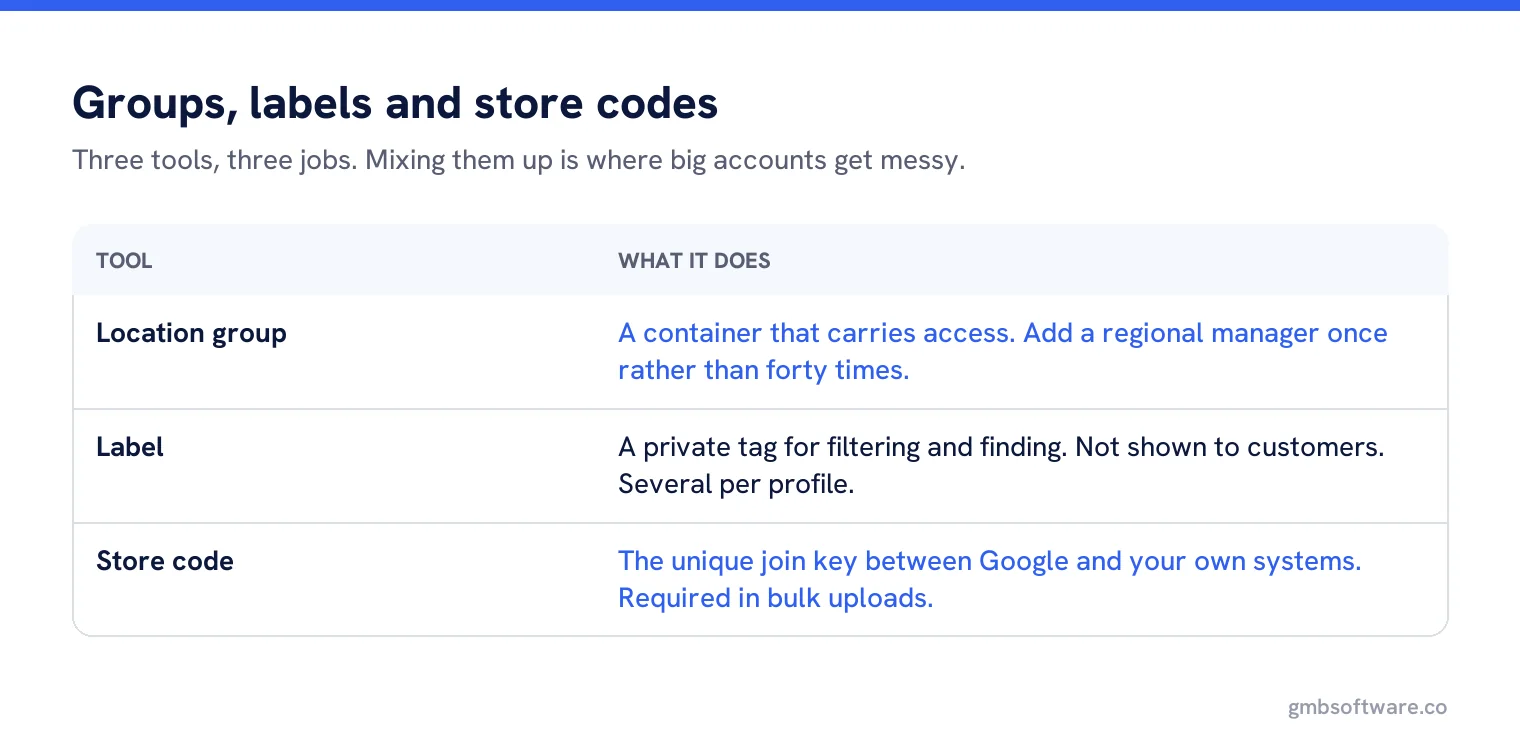
Location groups and labels are the two ways to organise a large account, and they do different jobs. A group is a container that controls who has access to which profiles. A label is a tag you attach to a profile so you can find it later, and labels are not shown to customers. Use groups for permissions and ownership boundaries, labels for everything else: region, brand, franchise owner, store format, rollout phase. Decide your labelling scheme before you import, because renaming later is tedious.
An account with eight locations needs no structure. An account with eighty needs it badly, and the structure almost always gets invented after the import, by somebody searching for a store they cannot find.
What groups actually do
A location group holds profiles and the people who can work on them. Access granted at group level flows to every profile inside it, which is the whole point: you add a regional manager once rather than forty times. Google’s page on owners and managers lists creating location groups among the things both owners and managers can do.
Because groups carry access, they should follow your access boundaries rather than your marketing. If the north region and the south region are run by different teams, that is two groups. If they are run by the same team and only reported separately, that is one group and two labels.
What labels actually do
Labels are private tags. Google describes adding custom labels as a way to find particular groups of locations easily, and they are not visible to customers. A profile can carry several, which is what makes them more flexible than groups.
- Geography: region, country, city cluster, sales territory.
- Ownership: franchisee name, corporate or franchise, joint venture.
- Format: flagship, express, concession, drive through, warehouse.
- Status: open, pre-opening, refit, closing, acquired.
- Work: audit due, photos needed, review response pilot.
A labelling scheme that survives
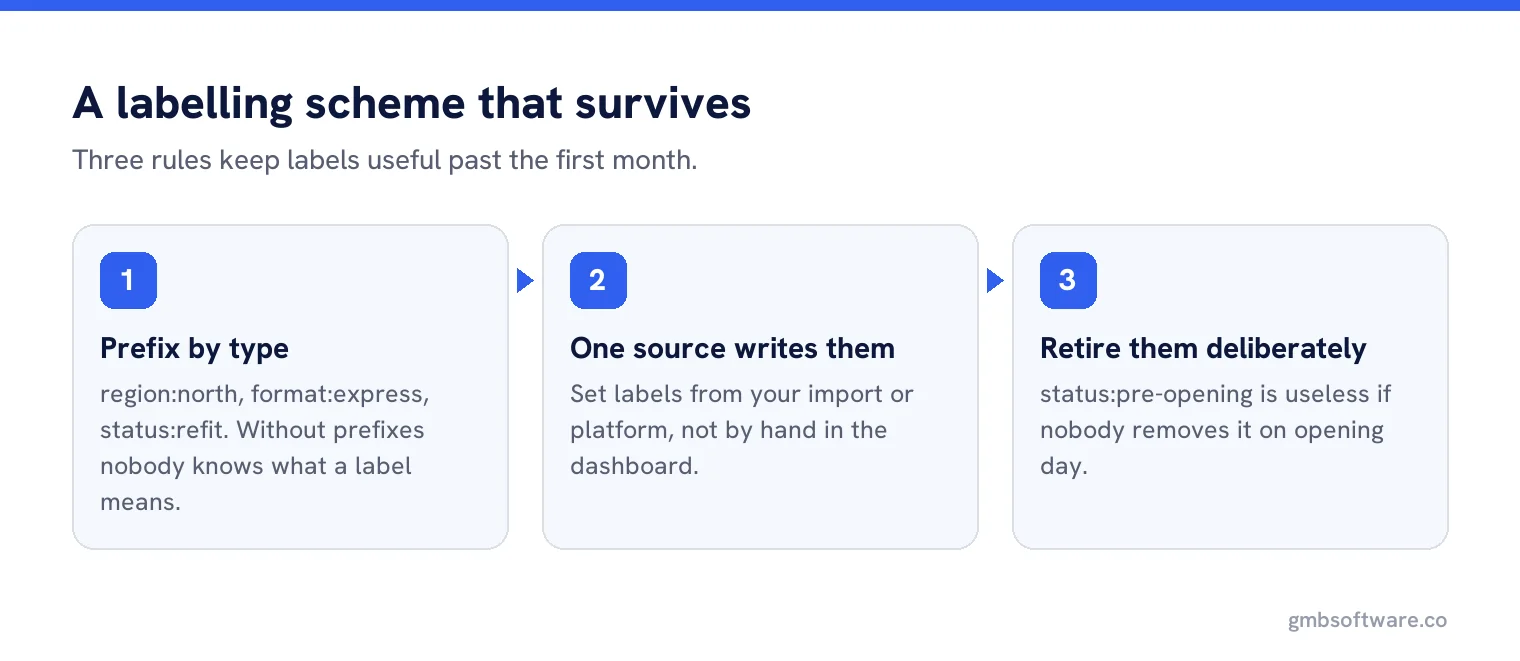
Three rules keep labels useful past the first month.
Prefix by type
region:north,format:express,status:refit. Without prefixes you end up with “north” and “North East” as separate labels and no way to tell what either means.One source writes them
Labels applied by hand by three different people become three schemes. Set them from your import file or your platform, not in the dashboard.
Retire them deliberately
A label like
status:pre-openingis useless if nobody removes it on opening day. Put the removal in the same checklist as the opening.
The store code, which is neither
Alongside groups and labels sits the business code, sometimes called a store code. Google’s bulk upload documentation is strict about it: a business code is required for each business in the spreadsheet, codes must be different for each business, and they can be no longer than 64 characters. They are not shown to customers, but they are how every later update finds the right row.
Use your own internal store number if you have one. If you do not, invent a scheme now and never change it, because the code is the join between Google and your own systems, and a changed code creates a new profile rather than updating the old one.
Designing the structure before you import
Write the scheme down in a single sheet before the first upload: group per access boundary, labels per the five categories above, store code mapped to your internal identifier. Then import. Doing it the other way round means touching every location twice, and in a franchise network it means asking forty owners for information twice, which they will not provide the second time.
Franchises and the ownership question
Franchise networks are where groups earn their keep and where they get it wrong. The franchisee needs to manage their own location. The brand needs consistency and the ability to fix something urgently. One workable pattern is a group per franchisee carrying their access, with the brand holding owner rights across all groups, and labels marking which locations are corporate and which are franchised.
Whatever you choose, write down what happens when a franchisee leaves the network. That event is the one that tests the structure, and it is always a surprise when nothing has been planned.
Reporting falls out of the labels
Once labels are consistent, reporting stops being a manual exercise. Review rate by region, photo recency by format, audit coverage by franchisee: each is a filter rather than a spreadsheet. If your reporting needs a dimension that is not a label, add the label rather than building the spreadsheet, because the spreadsheet will be out of date within a month.
A worked structure
A coffee chain with 140 sites: 96 corporate, 44 franchised, across five regions, in three formats. The structure that works is one group for the corporate estate, one group per franchisee who holds more than one site, and a shared group for single-site franchisees managed centrally. That is roughly a dozen groups, each matching a real team.
Labels then carry everything else: region:nw, format:express, owner:corporate, status:open. Reporting by region is a label filter. The quarterly audit rota is a label. The photo refresh pilot running in twelve stores is a label that gets removed when the pilot ends.
Nothing in that scheme describes the brand, the menu or the opening year, because none of those affect who does the work or how it is reported. Resisting extra labels matters as much as adding the right ones.
Common mistakes
| Mistake | What happens |
|---|---|
| Groups built around marketing regions | Access does not match who actually works on what, so people get added individually anyway. |
| No prefixes on labels | Half a dozen near-identical labels with no agreed meaning. |
| Store codes changed during a rebrand | Updates create new entries instead of changing the existing ones. |
| Labels used for things customers should see | Nobody sees them. Labels are internal only. |
| One giant group | Everyone has access to everything, which is fine until it is not. |
Get these right and a hundred locations is a filter away from being manageable. Get them wrong and every job in the account starts with somebody asking which store is which, which is also where the import itself tends to fall over.
Organise locations once, use it everywhere
Groups, labels and store codes in one place, with filters that drive reporting, tasks and bulk changes.
Frequently asked questions
What is the difference between a location group and a label?
A group is a container that controls who can access which profiles. A label is a private tag used to find and filter locations. Labels are not shown to customers.
Are Google Business Profile labels visible to customers?
No. Labels are internal. Google describes them as a way to find particular groups of locations easily.
How long can a store code be?
Up to 64 characters, and it must be different for every business in your account. Google requires one for each business in a bulk upload spreadsheet.
Should groups follow regions or teams?
Teams. Groups carry access, so they should match who actually works on which locations. Use labels for regions and any other reporting dimension.
Can I change a store code later?
Avoid it. The code is how later updates find the right profile, so changing it usually creates a new entry rather than updating the existing one.
Sources
The Google documentation behind the guidance on this page. Google changes these pages without notice, so check the date on any figure before you rely on it.